Как свести календари Airbnb и Booking.com в одном месте бесплатно (2026)
Бесплатная синхронизация календарей Airbnb и Booking.com через iCal. Пошаговый разбор, реальные интервалы обновления и когда платный channel manager оправдан.
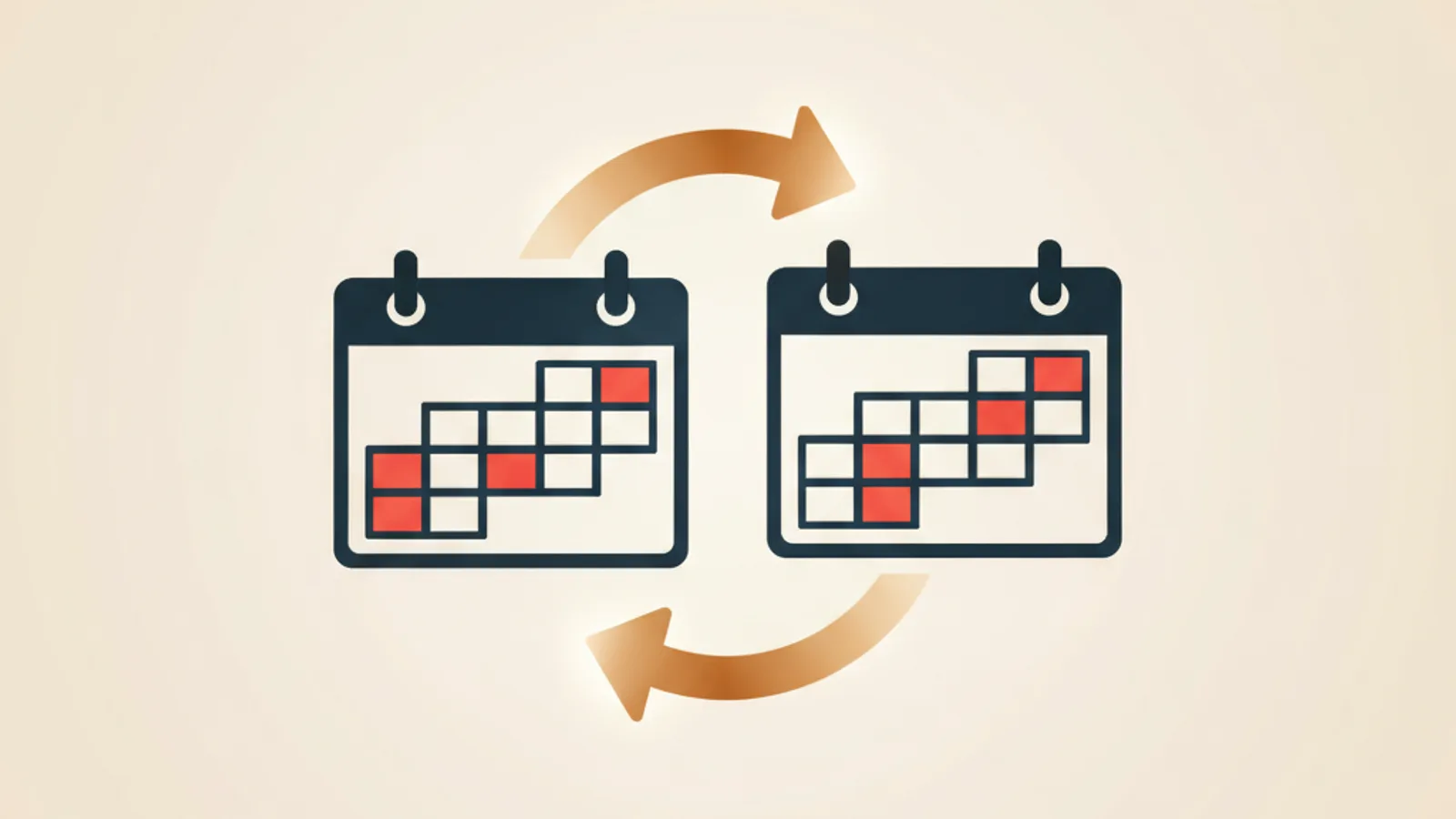
В прошлом июне я едва не посадил на одни и те же даты двух гостей. Один забронировал на Airbnb — площадка тут же закрыла даты у себя. А Booking.com ещё четыре часа показывал ту же неделю свободной. Пока iCal-фид догнал реальность, со стороны Booking.com прилетела заявка от гостя из Ташкента на те же ночи. В итоге одно бронирование я отменил с возвратом, второе сохранил, а вечер потратил на чтение всех справочных статей о том, как свести календари Airbnb и Booking.com, не отдавая за это $200 в месяц.
Этот гайд — результат того вечера. Бесплатные инструменты, реальные цифры по интервалам обновления, честный ответ, что работает, а что нет.
В чём, собственно, проблема
Две площадки. Одна квартира. Как только кто-то бронирует на Airbnb, остальные сайты должны узнать об этом за минуты, а не за часы.
Если вы публикуетесь только на Airbnb — это вообще не ваша проблема. Календарь Airbnb сам себе источник истины.
Беда начинается со второй площадки. У вас два равноправных календаря, и они должны договариваться. Загвоздка в том, что ни одна площадка не отдаёт другой приватный API. Они дают только публично читаемую iCal-ссылку, которую вторая сторона опрашивает по своему расписанию.
Этот момент бесплатные гайды обычно пропускают. iCal — не real-time. Это «достаточно быстро в большинстве случаев», и моменты, когда «не достаточно», — ровно те, в которые больно: два гостя бронируют одни и те же даты внутри окна опроса.
Дальше — ровно три действия. Достать iCal-ссылку из Airbnb, достать из Booking.com и решить, что куда подключать. Четвёртого пункта нет.
Шаг 1. Достаём iCal-ссылку Airbnb
Зайдите в дашборд хоста на Airbnb. Путь:
- Сверху нажмите Календарь.
- Выберите нужный объект.
- В правой панели кликните Доступность, затем Синхронизация календарей.
- Нажмите Экспортировать календарь.
- Скопируйте длинную ссылку. Вид примерно такой:
https://www.airbnb.com/calendar/ical/12345678.ics?s=AAA....
Рисунок 1: Панель синхронизации календарей Airbnb. Скриншот появится по адресу /blog/airbnb-booking-calendar-sync-free/figure-1.png.
Перед тем как двигаться дальше — две вещи. Первое: ссылка приватная. Любой, у кого она есть, увидит все даты ваших бронирований. Относитесь к ней как к паролю. Второе: ссылка не меняется сама по себе — пока вы не нажмёте Сбросить ссылку. Это и есть то, что делают, если ссылка случайно ушла в публичный чат.
Если на этапе настройки вы пропустили Синхронизация календарей, экспорт ещё не сгенерируется. Откройте раздел хотя бы один раз, чтобы он «проснулся». Канонические шаги — в официальной справке Airbnb.
Шаг 2. Достаём iCal-ссылку Booking.com
Путь у Booking длиннее на пару кликов, и именно поэтому большинство хостов сдаются, не дойдя до конца:
- Войдите в экстранет Booking.com.
- Выберите объект.
- В сайдбаре нажмите Календарь и цены.
- Нажмите Синхронизация календарей. (Если пункта нет — возможно, ваш тип объекта не поддерживает iCal. Vacation rental — да; классические отели — обычно нет.)
- В блоке Экспорт вашего календаря нажмите Экспортировать.
- Скопируйте ссылку. Формат примерно такой:
https://admin.booking.com/hotel/hoteladmin/ical.html?t=AAA....
Рисунок 2: Экспорт календаря из экстранета Booking.com. Скриншот появится по адресу /blog/airbnb-booking-calendar-sync-free/figure-2.png.
Засада: для аккаунтов с определёнными партнёрскими контрактами Booking прячет панель iCal. Если у вас договор с channel-manager API (у мелких хостов он бывает редко), iCal отключён намеренно. Если же iCal вообще не виден в экстранете и никаких партнёрских договоров вы не подписывали — пишите в партнёрскую поддержку, они включают обратно.
Собственный гайд Booking — Partner Hub — расписан со скриншотами, актуальными для интерфейса 2026 года.
Шаг 3. Связываем календари Airbnb и Booking.com
Три варианта. Ни один не «неправильный»; правильный зависит от количества объектов.
- Прямой кросс-импорт. Вставляете ссылку Airbnb в поле импорта Booking, ссылку Booking — в поле импорта Airbnb. Готово. Каждая сторона опрашивает другую по своему расписанию. Бесплатно. Без третьих инструментов. Хорошо работает на двух площадках. Перестаёт масштабироваться, как только вы добавляете третью (Vrbo, Expedia, реселлеры через Hostaway): пришлось бы добавлять ссылку каждой площадки в каждую другую, а лимит слотов импорта на большинстве платформ — пять.
- Бесплатный промежуточный слой. Маленький open-source инструмент стоит между площадками. И Airbnb, и Booking импортируют из него; он импортирует из них. На каждую площадку остаётся по одной ссылке, добавление третьей — это две новые ссылки, а не четыре. Опрос на промежуточном слое можно делать гораздо чаще, чем у самих площадок: инстанс RentTools опрашивает раз в 10 минут. Тоже бесплатно; можно поднять у себя на дроплете за $4 или использовать хостед-версию.
- Платный channel manager. Hostaway, Lodgify, Smoobu. Реальные API (если ваш аккаунт под это подходит) вместо iCal — то есть почти мгновенная двусторонняя синхронизация. Стартуют от $25–50 за объект в месяц и обычно с длинным контрактом. Окупаются от 20+ объектов или при загрузке выше 90%. Ниже — это уже самообман.
Я держу вариант 2 для своих двух квартир в Ташкенте. Логика простая: при двух объектах добавление новой площадки — это две ссылки, а не четыре, как в варианте 1. Пять минут настройки; окупится в ту же секунду, когда я опубликую объект на Vrbo.
Подвох с интервалом обновления, о котором никто не предупреждает
Вот та самая часть, которую справки площадок честно не пишут.
Когда Airbnb говорит «календари синхронизируются автоматически», на практике это значит: Airbnb опрашивает ваши импортированные iCal раз в 2–4 часа. Booking — раз в 2–6 часов. Vrbo бывает медленнее.
Представьте, что вы собрали вариант 1. Вот что происходит, когда гость бронирует квартиру на Airbnb в 14:00:
- Airbnb сразу закрывает даты у себя.
- Booking.com подтянет iCal-фид Airbnb где-то между 16:00 и 20:00.
- Все эти до шести часов ваш листинг на Booking всё ещё показывает «свободно».
- Если в этом окне второй гость находит ваш листинг на Booking и бронирует те же даты — у вас двойное бронирование.
Случается редко. Нужны одновременные покупатели на обеих площадках внутри окна опроса, что для небольшого хоста с невысоким объёмом — практически никогда. Но иногда случается, и тогда это стоит вам возврата, возможного отрицательного отзыва и полутора часов переписки с двумя незнакомцами с объяснениями, почему так вышло.
Промежуточный слой (вариант 2) лечит половину проблемы. Наш хостед-инстанс опрашивает источники раз в 10 минут — то есть RentTools узнаёт о новом бронировании на Airbnb в течение десяти минут. Но он не ускоряет опрос самого Booking.com в адрес RentTools. Booking всё равно берёт свои 2–6 часов.
Единственное лекарство для стороны-получателя — связь на уровне API, то есть вариант 3.
Это и есть настоящая причина существования channel manager. Не функции. Не красивые дашборды. Real-time-обновления в обратную сторону. Подробнее о том, почему iCal в принципе не может быть быстрее своего цикла опроса, — в RFC 5545; никакого «push»-расширения, которое поддерживали бы крупные площадки, у протокола нет.
Одно мнение, не нейтральное
Если у вас один-два объекта и вы публикуетесь на Airbnb плюс Booking.com — не платите за channel manager пока. Соберите вариант 1 или 2. Риск из-за интервала опроса реален, но при низком потоке маловероятен, а ежемесячная подписка платного инструмента при двух объектах превысит ожидаемую стоимость одного годового возврата за двойное бронирование.
Если у вас десять и больше объектов и загрузка близка к 90% — посмотрите на Smoobu раньше, чем на Hostaway. Smoobu честнее с ценой на небольших объёмах и открывает channel-manager API, которые конкуренты прячут за sales-звонок.
Это не реклама инструмента, который я делаю. Это математика.
Частые вопросы
Меняется ли iCal-ссылка Airbnb после сброса?
Да. Нажмите Сбросить ссылку в панели синхронизации Airbnb — старая URL мгновенно перестаёт работать. Делайте так сразу, как только заподозрили, что ссылку увидел кто-то лишний: публичный Slack, скриншот, ответ на форуме. RentTools по той же причине умеет ротировать свой исходящий фид по запросу.
Как понять, что iCal-синхронизация вообще работает?
Посмотрите на каждой площадке отметку «последнее обновление» по импортированному календарю. На Airbnb она лежит в Синхронизация календарей → Импортированные календари → Последний импорт. На Booking — рядом с каждым импортированным фидом. Если отметке больше 12 часов — что-то сломалось со стороны источника: ссылка изменилась, источник троттлит запросы, либо ссылку сбрасывали.
Можно ли обойтись без третьего инструмента?
Можно. Вариант 1 — прямой кросс-импорт — для двух площадок работает нормально. Но в момент, когда добавите третью, вы об этом пожалеете.
iCal действительно бесплатный?
Да. Airbnb и Booking.com отдают его в любом аккаунте хоста как self-service. Если какой-то сервис берёт с вас деньги «за iCal-синхронизацию» — вы платите за обёртку, а не за протокол.
Сколько стоит RentTools?
Хостед-инстанс сейчас бесплатный. Self-host тоже бесплатный, если у вас есть Linux-машина. Хостинг и Gemini API мы оплачиваем сами. Подробнее о рисках двойного бронирования, ради защиты от которых и нужна синхронизация, — в посте как избегать двойных бронирований.
Стоит ли вообще морочиться, если я только на Airbnb?
Нет. Хостам с одной площадкой iCal-синхронизация не нужна. Сохраните этот пост на тот день, когда соберётесь публиковаться на второй.
Что делать, если Airbnb пишет «Последняя синхронизация: никогда»?
Три обычные причины. (1) Не та исходная ссылка: вставьте её в браузер — должен скачаться
.icsили открыться текст, начинающийся сBEGIN:VCALENDAR. Если получаете HTML с ошибкой — ссылка битая. (2) Источник перегенерировал ссылку, и старая теперь невалидна: сбросьте на источнике, обновите импорт в Airbnb. (3) Airbnb иногда молча троттлит новые фиды первый час. Подождите час и проверьте ещё раз, прежде чем считать, что что-то сломалось.Booking.com действительно использует мой импортированный iCal или у него своя логика?
Booking воспринимает события из импорта как непрозрачные блоки: даты, помеченные как занятые во входящем фиде, становятся недоступными на Booking. Имена гостей, цены и прочее он не смотрит. Это плюс, а не баг: даже если ваш iCal-экспорт из Booking утечёт, видно будет только даты, без подробностей о гостях.
Читать дальше
Off-season math: close the listing or stay open?
Closing for the low season doesn't stop the insurance, the internet or the standing charges. The per-night contribution math on when staying open pays.
Seasonal pricing math: turn your booking history into a rate ladder
Most hosts charge one rate all year. Build a seasonality index from your own occupancy, turn it into monthly rate multipliers, and stop leaking margin.
Check-in and check-out times: the turnover window math
The gap between checkout and check-in is your entire cleaning window. Worked math on turnover time, cleaner cost, and when to block a buffer day instead.
EV charger ROI for short-term rentals: the occupancy-filter math
An EV charger is an occupancy play, not a nightly premium — you land in a filtered search with almost no competitors. The install and payback math, by market.
Air conditioning ROI for short-term rentals: the one-summer payback
In a hot market AC isn't a premium amenity — it's the review insurance you buy so July doesn't wreck your rating. Here's the install and payback math.
Pricing a new Airbnb listing: the review-velocity math
A zero-review listing can't charge the market rate. The math of underpricing your first stays to buy reviews — what each review costs, and when to raise back.
Comments
Sign in to comment.
- No comments yet.