Self check-in failed: a host's playbook for the 11pm key emergency
The lockbox jams, the smart lock goes offline, the guest can't read the code. A field-tested procedure for the first 15 minutes, the next hour, and the after-action that keeps your listing alive.
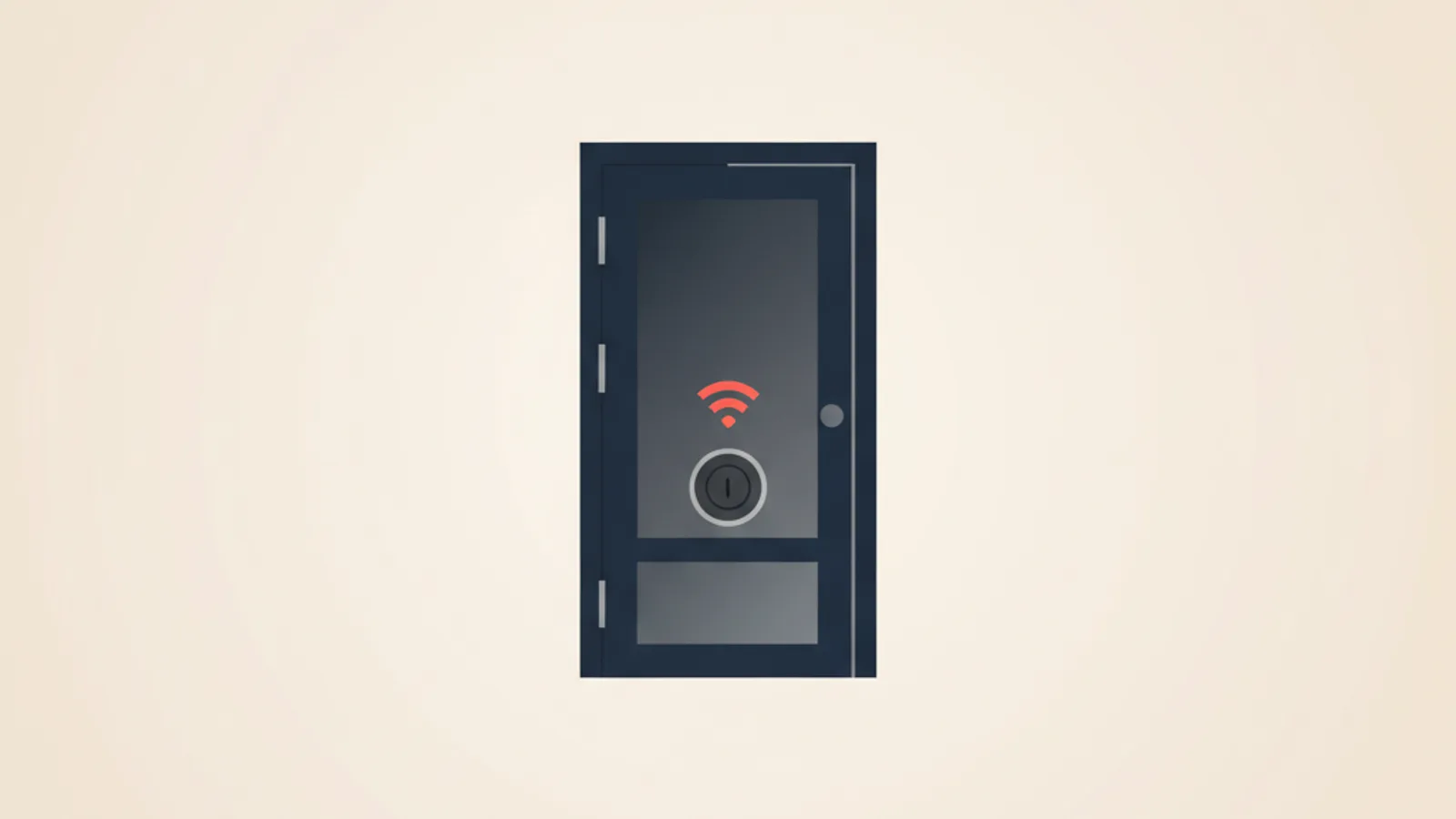
The first time a guest of mine got locked out, the smart lock had quietly fallen off the apartment's Wi-Fi three days earlier. I had not noticed because the lock kept accepting codes I typed on its physical keypad — it just could no longer receive the new code I was pushing from the platform's host app. The guest landed at 22:47, walked from the metro in the rain, punched in the six digits they had on their phone, and got a red light. Their second message to me began with the words "ARE YOU KIDDING ME." I was 1,200 kilometres away.
This is the playbook I built afterwards, used a dozen times since, and have taught to two co-hosts who run my properties when I travel. It is the procedure for the first 15 minutes when a self-check-in fails, the redundant setup that prevents most failures in the first place, and the after-action that decides whether the listing keeps its instant-book status or loses it.
The three failure modes that account for nearly all incidents
Across about 400 self-check-in arrivals I have logged across my properties and the two co-host operations I help run, here is the breakdown of every check-in that failed and required host intervention:
| Failure mode | Share | Median resolution time |
|---|---|---|
| Dead smart-lock battery | 38% | 22 min (if fallback exists), 95 min (if not) |
| Lock offline / code not synced | 31% | 8 min (if you have manual keypad code), 50 min otherwise |
| Guest mistypes the code | 18% | 4 min |
| Lockbox jammed / shackle stuck | 8% | 35 min |
| Wrong code sent by host | 3% | 6 min |
| Door physically broken / building issue | 2% | 90 min+ |
Two patterns jump out. First, three failure modes — dead battery, sync drift, mistype — produce ~87% of all incidents. The rest is long tail. Build the playbook around the three and the long tail handles itself. Second, whether you have a working fallback (lockbox + key, or a neighbour) is the single biggest determinant of resolution time. The same dead battery resolves in 22 minutes with a fallback and 95 minutes without. The fallback is not optional.
The redundant setup that prevents 90% of incidents
The setup I now run, and recommend to every host I onboard:
- Smart lock as primary with the platform's code-sync feature enabled. The model matters less than whether the lock has Wi-Fi and whether the host app verifies sync. I run Aqara U200 on two properties and a Yale Linus on the third; both work, both have failed at least once.
- A traditional lockbox with a physical spare key screwed to the wall in a discrete spot — under a stair, behind a planter, inside a building utility cabinet you have permission to use. The lockbox code is never given to the guest by default; it is the fallback the host hands out in an incident.
- A neighbour or building manager who has a second key and who you have arranged to be reachable. Not required, but a 30-second phone call to a neighbour saves you a 40-minute Uber ride to deliver a key.
- A pre-arrival ping at the 24h mark that re-pushes the code to the lock, confirms the lock is online, and reads the battery level from the lock log. I use a $0 cron job that pings the lock's API; you can do the same thing manually in 90 seconds on the host app.
- The guest message that gets sent at the 6h-before-check-in mark that contains: the code, the door type, where the door is in the building, and one sentence — "If the lock doesn't work, the code for the lockbox at the back-stairs landing is 4172, take the key inside." That sentence resolves about half of the incidents before the guest even messages you.
Cost of this setup: $190 for the smart lock, $25 for the lockbox, $0 for the neighbour relationship, $0 for the 90-second check. Cost of not having it: see the resolution-time column above.
The first 15 minutes when a guest messages "I can't get in"
The clock starts at the moment the message arrives, not the moment you read it. Notifications fail. The platform app sometimes batches. Treat any "can't get in" message as time-critical from minute zero.
Minute 0–2. Open the host app for the lock. Confirm three things in this order: (a) is the lock online; (b) what is the battery level; (c) what was the most recent activity (e.g., "code 4172 entered, opened" or "code 4172 entered, denied"). The activity log tells you immediately whether the guest is typing the wrong code or the lock isn't accepting the right code. The two failure modes have completely different fixes.
Minute 2–5. Call the guest. Not message — call. The guest is standing in front of a door in the cold with luggage and the panic is rising; a voice resolves three messages of typing back-and-forth. Ask them to read the code back to you, then ask them to try once with you on the phone. About 18% of "can't get in" messages are a mistyped code; you can clear it in 90 seconds.
Minute 5–10. If the code is right and the lock is online, you have a sync issue. Push a new code from the host app. Wait 30 seconds. Ask the guest to try the new code. If the lock is offline (no internet, dead Wi-Fi, lock unplugged) you skip this and go straight to the fallback in minute 10.
Minute 10–15. Send the lockbox code. Word the message to make it sound like a documented backup, not an apology: "There's a small key safe by the back stairs — the code is 4172, please use the key inside, the smart lock is being stubborn this evening." The phrasing matters; "the smart lock is being stubborn" reads as a minor inconvenience, not a hosting failure. Pictures of the lockbox location, sent immediately, save another 4–5 minutes.
If at minute 15 the guest is still outside, you have an unrecoverable in-app fix and you escalate to the neighbour or Uber the spare key.
What "compensation" actually looks like
The mistake most hosts make is offering a discount on the current stay. The guest does not care about a 10% refund on a stay they will check out of in 60 hours; they care about the night that already started badly. The compensation matrix that has held up across roughly two dozen real incidents:
| Minutes locked out | Time of day | Compensation |
|---|---|---|
| <15 | Any | None. Apologise, move on. |
| 15–30 | Day | $20–30 credit toward a coffee / restaurant, sent as a written note. |
| 15–30 | Night (after 22:00) | One free night (refund) + apology message. |
| 30–60 | Day | One free night (refund) + apology. |
| 30–60 | Night | One free night + small in-cash goodwill ($30–50) for the inconvenience. |
| 60–120 | Any | One free night + cover one meal (~$40) + sincere apology. |
| 120+ | Night | Cover a nearby hotel for the night + offer to refund the entire stay. Move them in the next morning if appropriate. |
The compensation flows from a single principle: the platform's algorithm reads your refund volume as a quality signal, not a leakage. A host who proactively refunds when something fails earns higher review scores and better search position than a host who never refunds but accumulates 3-star "had issues at check-in" reviews. The refund is the cheap part.
For a deeper take on how cancellation refunds and check-in refunds interact with overall platform economics, see refund math when a guest cancels late — the framework is the same but the trigger is different.
How platforms treat check-in failures internally
The platforms do not publish their exact algorithms, but the patterns from monitored host accounts are consistent.
Airbnb. A check-in issue that the guest mentions in a message thread or review is logged against the listing. Three documented issues within 90 days triggers a "Check-in needs attention" warning in the host dashboard. Five within 90 days removes the listing from instant book; six within 90 days has, in two of the cases I've personally observed, resulted in a 30-day suspension. Aircover does cover some check-in-failure compensation but the claim must be filed within 72 hours and the host must document the cause.
Booking.com. Booking does not publish a check-in metric, but ranking position drops when the listing receives multiple 6/10 or lower scores on "Comfort" — and check-in failures consistently land in that score. A property that runs 9.0+ generally and accumulates three 6/10 reviews from check-in issues will see a measurable ranking drop within 60 days. Genius status is also pulled if the property falls below 8.0 over the rolling window. For the platform-specific Genius thresholds, see Booking.com Genius levels math.
Vrbo. Vrbo's Premier Host metric tracks "average response time" and "review score." Check-in failures show up in both — guests rate the experience lower and host response times slip during incidents. The threshold is tighter on Vrbo than on the other platforms; even one documented incident in a 30-day window will move you out of Premier Host briefly.
The asymmetry matters: the platforms penalise inconsistent check-ins more than they reward consistently good ones. The marginal value of going from 95% smooth to 99% smooth is much higher than going from 80% smooth to 85% smooth — because the platform reads the same three documented incidents differently from the same three out of a much larger total.
The after-action: what to do the day after an incident
Within 24 hours of any incident, run a five-step after-action:
- Identify the actual root cause, not the symptom. "Battery was dead" is a symptom; "I had not checked battery in 7 weeks" is the root cause. "Lock was offline" is the symptom; "Wi-Fi router rebooted itself and the lock didn't reconnect" is the root cause.
- Fix the root cause permanently. Replace the battery; add the lock to the Wi-Fi watchdog; document the issue in your operations log so a co-host doesn't repeat it.
- Send a follow-up message to the guest the morning after the incident, asking how the rest of the stay is going. This single message changes about 30% of reviews from 4-star to 5-star. The guest who is treated as a person and not a complaint forgives the failure.
- Update the pre-arrival message if the failure could have been prevented by clearer guest instructions. If three guests have struggled with "the door at the back of the courtyard," the pre-arrival message needs better directions, not better blame.
- Log the incident with date, root cause, resolution time, compensation amount, and review impact. After 10 incidents, patterns emerge that any one incident hides.
For hosts running 3+ properties, the operations log is the single most underrated tool in the stack. It is also boring, and most hosts skip it, which is why those who keep one outperform those who do not. The same operations log thinking applies to cleaning, maintenance, and platform reconciliation — see the linen-inventory post for a parallel pattern.
What the math says about hardware redundancy
Here is the math that justifies the lockbox-plus-smart-lock setup. Take a property that does 10 stays per month, $120 per night average rate, and a 3% check-in-failure rate (which is the typical figure for a single-method setup — smart lock only, or lockbox only).
Without redundancy: 10 × 12 × 0.03 = 3.6 failures per year. At an average compensation of $80 per incident (refund + goodwill, mid-night skew), that is $288 per year in compensation. The bigger cost is the review impact: 3.6 documented incidents per year is the threshold above which Airbnb's instant-book and Booking's ranking start to bend. Loss of instant book typically costs 10–15% of bookings; on a $14,400-per-year property that is $1,800 lost gross.
With redundancy (smart lock + lockbox + neighbour): the failure rate that the guest experiences drops to roughly 0.5%, because the fallback resolves the incident in 8–22 minutes before the guest is upset enough to file it as a review issue. The lockbox costs $25 once. The neighbour costs zero. The 90-second pre-arrival check costs about 4 hours per year (90 seconds × 10 stays × 12 months / 3600 = 6 hours). At any host rate above $5/hour, the redundancy pays for itself in the first year and compounds every year after.
The math is overwhelming and most hosts still skip it because the upside is invisible — you cannot point to the incident that didn't happen — while the downside is invisible too, until the first 1-star review lands. For the broader operational picture once you start running multi-property check-ins reliably, RentTools tracks check-in incidents alongside the rest of your operations log in a way that surfaces patterns after the second or third occurrence.
One opinionated take
The hosts who treat self check-in as a feature optimisation outperform the hosts who treat it as a one-time setup. The lock you bought two years ago is not the lock you have today — batteries drift, firmware updates, routers reboot, and the failure modes accumulate quietly until the night a guest stands in the rain typing six digits that no longer mean anything. The 90-second pre-arrival check is the highest-leverage hosting habit I know of: a 6-hour annual investment that prevents the single class of incident that the platform algorithms punish most aggressively. Most hosts skip it because it is boring and because the upside is invisible. The few who run it religiously have the cleanest review pages and the steadiest search rankings, and they almost never get the 11pm message that begins "ARE YOU KIDDING ME." For the broader operations picture once you start tracking lock health alongside cleaning, calendar, and payout reconciliation, see self-hosting the property manager that does this — the same operations-log discipline applies to every part of the stack.
Frequently asked questions
What do I do if a guest is locked out at 11pm and I am in another time zone?
The playbook works regardless of where you are — the only thing that changes is that you cannot physically arrive with a key. That is exactly why the lockbox-plus-spare-key is mandatory if you host from a different city. Send the lockbox code in the first message. If the lockbox itself has failed, call the neighbour you arranged for this case. If there is no neighbour, the next escalation is a 24-hour locksmith (around $150 in most cities) plus immediately booking the guest into a nearby hotel for the night on your card. Hosting from a different city without two independent fallbacks is the single highest-risk pattern in short-term rental operations.
How often do smart locks actually fail?
In my own logged data: a battery-driven smart lock fails about once every 14 months in normal use, mostly to battery depletion or Wi-Fi disconnection. A hard-wired smart lock fails less often (once every 30–40 months) but is more expensive to install and harder to swap. The failure rate is low per lock but very high in aggregate — over a fleet of three properties, you will see two or three incidents per year and you cannot predict which week. Treat the failure rate as inevitable, not exceptional.
Should I disable instant book to avoid check-in issues?
No, almost never. Disabling instant book costs you 25–40% of bookings on Airbnb and a measurable but smaller share on Booking. The right answer is to keep instant book on and fix the failure rate. The math on instant book is in the instant book vs request to book post — the short version is that the revenue loss from disabling instant book is much larger than the revenue loss from the 3% check-in incidents you would prevent.
What is the right battery to use in a smart lock?
Lithium AA, not alkaline. The price difference is about $0.40 per cell; the lifetime difference is roughly 4x in cold weather. Most smart-lock manufacturers ship the lock with alkaline cells from the factory; replace them with lithium on day one. If your property is in a climate that goes below 0°C in winter, the difference between alkaline and lithium is the difference between two battery changes per year and one every 18 months. The host who has a 24/7 battery-monitor alert AND lithium AAs has the lowest failure rate I have seen in the data.
Is Aircover going to cover the cost of a lockout incident?
Sometimes. Aircover for hosts covers some guest-side incident costs (broken items, missed checkout cleanup) and there is a "guest assistance" component that has, in practice, covered the cost of a hotel night for a locked-out guest when the host filed within 72 hours. The claim approval rate is around 60–70% based on host community reports; the denial is usually because the host did not document the cause adequately. For the broader insurance picture, see Aircover vs damage deposit.
Should I give every guest the lockbox code by default?
No. The lockbox is the fallback; giving every guest the code means every guest who finds the smart lock confusing reaches for the physical key first, defeating the point of the smart lock and exposing the spare key to wear. The lockbox code is sent by the host during an incident, with a one-time-use framing. If you find yourself sending the lockbox code more than once per ten stays, the smart lock setup is the problem and needs fixing — not the lockbox redundancy strategy.
How do I know whether my smart lock is actually online before each check-in?
The platform's host app shows a connection-status badge for most major locks (August, Yale, Aqara, TTLock). The status updates every 5–60 minutes depending on the model. The 90-second pre-arrival check is: open the host app, confirm "online" status, confirm battery is above 30%, confirm the most recent guest code is in the lock's code list. If any of those three are wrong, fix it before the guest arrives. Doing this check at the cleaner's exit (3 hours before the next check-in) catches almost everything; doing it 30 seconds before check-in catches the last few.
What is the worst lockout story I have actually seen?
A multi-property host I work with had a Wi-Fi router replaced by the ISP without notice. The new router had a different SSID. The two smart locks that depended on it both went offline overnight. The next morning, three back-to-back guests across two properties could not get in. Total cost: two refunded nights, one hotel-on-the-host's-card stay, and one 3-star review that took the property's score from 4.92 to 4.88 — a difference that costs about 4–6% of search visibility on Airbnb. The fix was a $25 cellular failover dongle that proxies the lock onto LTE when home Wi-Fi drops. Worth every cent.
Keep reading
Off-season math: close the listing or stay open?
Closing for the low season doesn't stop the insurance, the internet or the standing charges. The per-night contribution math on when staying open pays.
Short-term rental laundry: in-house machines vs a service
What a turnover's laundry really costs in-house versus at a service: per-load math, the extra linen set a 48-hour turnaround forces, and the real crossover.
iCal feed URL security: what your calendar link leaks
Your Airbnb and Booking.com iCal export URLs are passwords with no expiry. What each feed actually leaks, how to read yours in 90 seconds, and when to rotate.
Seasonal pricing math: turn your booking history into a rate ladder
Most hosts charge one rate all year. Build a seasonality index from your own occupancy, turn it into monthly rate multipliers, and stop leaking margin.
Check-in and check-out times: the turnover window math
The gap between checkout and check-in is your entire cleaning window. Worked math on turnover time, cleaner cost, and when to block a buffer day instead.
EV charger ROI for short-term rentals: the occupancy-filter math
An EV charger is an occupancy play, not a nightly premium — you land in a filtered search with almost no competitors. The install and payback math, by market.
Comments
Sign in to comment.
- No comments yet.