Cerradura inteligente vs caja de llaves: cuentas a 12 meses
Hoja trabajada comparando cerraduras inteligentes, cajas de llaves y check-in en persona. Coste total a 12 meses a 5, 10 y 20 estancias/mes y los modos de fallo que nadie tarifa.
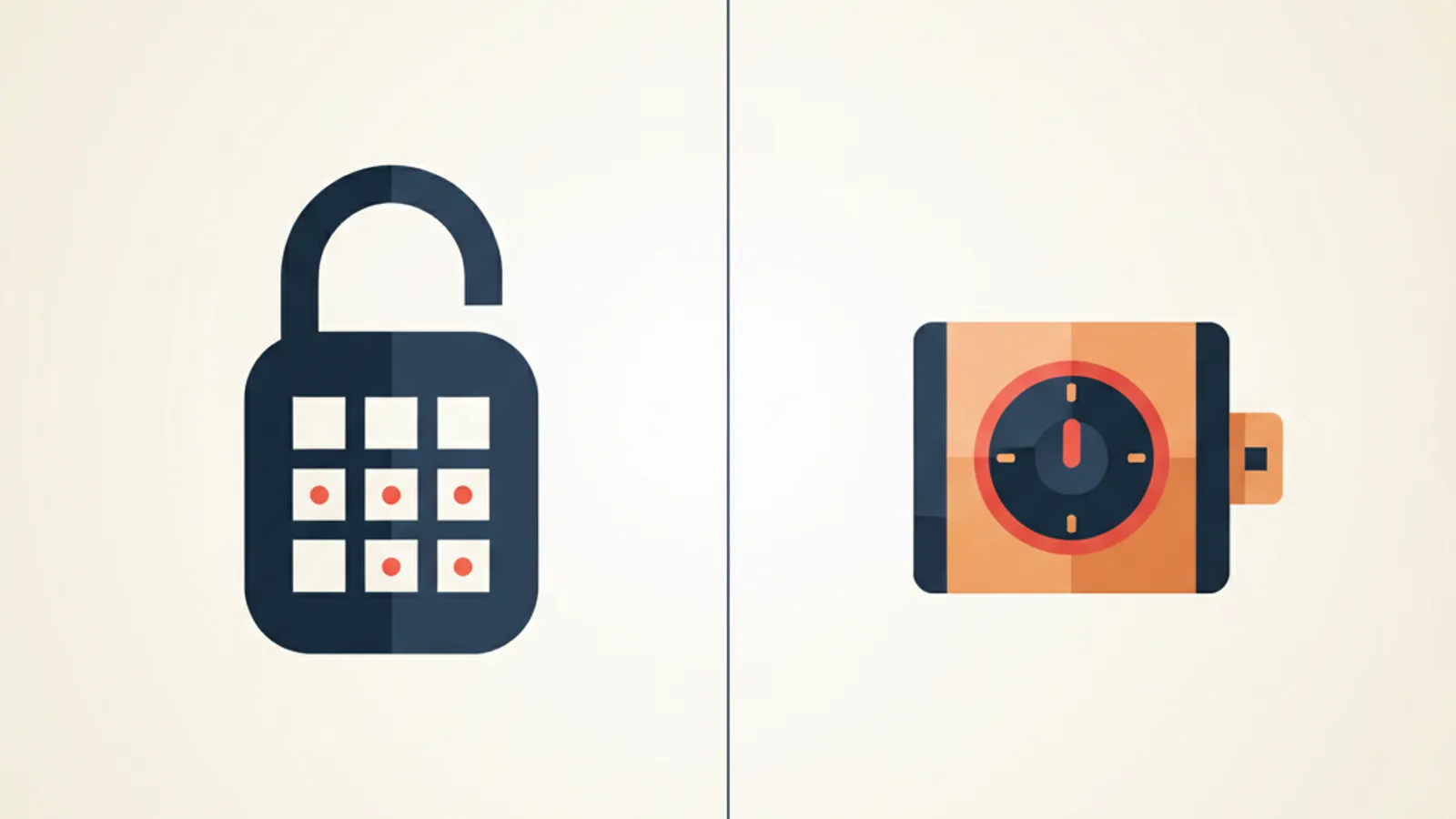
La primera caja de llaves que compré costó 19 $ en Amazon. Al cuarto mes estaba oxidada por un invierno de Tashkent y el dial no pasaba del 3. La corté de la barandilla con cizallas a las 23:00 mientras un Huésped me miraba desde el portal con maleta y pizza. La segunda caja duró nueve meses. La tercera, un Huésped le rompió el grillete tirando. Después compré una cerradura inteligente de 190 $ y un año más tarde no he comprado otra.
Este es el artículo sobre qué método de entrega de llave se paga de verdad y a qué número de estancias al mes cambian las cuentas. Números trabajados, modos de fallo que el márketing del vendedor no tarifa y una regla por propiedad que bate al «siempre cerradura inteligente» o «la caja vale».
Qué son los tres métodos
Quita el márketing y son tres patrones, más uno que es la opción 1 con paso extra:
- Caja de llaves mecánica. Caja atornillada a barandilla o pegada con imán a puerta de acero. El Huésped gira un dial de 4 dígitos, saca llave física, entra. Tú cambias el código entre estancias a mano.
- Cerradura inteligente. Pestillo motorizado o manilla que acepta PIN por estancia. Las buenas sincronizan códigos desde tu calendario; las baratas te hacen teclear cada código. Sea como sea, ninguna llave física cambia de mano.
- Check-in en persona. Tú o un cohost te encuentras con el Huésped en la puerta, le entregas llave, le enseñas el piso. Personal, lento y caro en tiempo.
- Entrega por portero / recepción. Variante de 3 donde otro (pagado por hora o por estancia) hace el meet. Común en edificios de apartamentos serviciados; menos en unidades aisladas.
El post compara 1, 2 y 3 cabeza a cabeza. La 4 sigue las cuentas de la 3 con la tarifa horaria del cohost en vez de la tuya, así que la pliego en notas al pie de la 3 en vez de fila propia.
Lado coste: lo que cuesta cada opción a 12 meses
Precios en USD. Sustituye por tu moneda al cambio.
| Item | Caja | Cerradura inteligente | En persona |
|---|---|---|---|
| Hardware inicial | 25 $ | 190 $ | 0 $ |
| Trabajo de instalación | 10 minutos | 25 minutos | 0 |
| Tasa de reposición/año | ~1,2× | ~0× | n/a |
| Pilas / consumibles | 0 $ | 14 $ (4× AA cada 8 meses) | 0 $ |
| Tiempo de reset por estancia | 90 seg manual | 0 seg (auto-código) o 20 seg (manual) | n/a |
| Tiempo de desplazamiento + entrega por estancia | 2 min | 1 min | 30–60 min |
| Lockouts por 100 estancias | 0,6 | 0,4 | 0 |
Tres números de la tabla hacen el grueso. La fila de hardware es la que el vendedor quiere que compares. La de reposición es la que esconde. La de entrega es la que los Anfitriones de en persona nunca cuentan.
Hoja trabajada a tres volúmenes
Un estudio, 90 $/noche, 30 $ de limpieza, tu tiempo a 20 $/hora. Tarificamos el coste directo más tu tiempo de cada opción durante 12 meses a tres volúmenes: 5 estancias/mes (60/año), 10 estancias/mes (120/año), 20 estancias/mes (240/año, ~80 % de ocupación con 3 noches medias).
5 estancias/mes — 60/año
Caja. Hardware 25 $. Reposición a mitad de año (25 $). Una noche de cizallas (8 $ herramientas, 30 min tuyos = 10 $). Reset 60 × 90 seg = 90 min = 30 $. Lockouts: ~0,4/año × 60 min × 20 $/h = 8 $.
Total: 25 + 25 + 18 + 30 + 8 = 106 $/año.
Cerradura. Hardware 190 $. Pilas 14 $. Reset asumido automatizado, 0 min. Lockouts: ~0,25/año × 60 min × 20 $/h = 5 $.
Total: 190 + 14 + 5 = 209 $/año.
En persona. Desplazamiento + meet a 45 min × 60 estancias × 20 $/h = 900 $. Más combustible/transporte 4 $/viaje × 60 = 240 $.
Total: 1.140 $/año.
A 5 estancias/mes la caja bate a la cerradura por ~100 $. Las cuentas dicen: quédate la caja, acepta una noche de cizallas al año, no compres aún la cerradura de 200 $.
10 estancias/mes — 120/año
Caja. Hardware 25 $. Reposición 1,2 = 30 $. Cizallas más percances menores = 20 $. Reset 120 × 90 seg = 180 min = 60 $. Lockouts ~0,7 × 60 min × 20 $ = 14 $.
Total: 25 + 30 + 20 + 60 + 14 = 149 $/año.
Cerradura. Hardware 190 $. Pilas 14 $. Lockouts ~0,5 × 60 min × 20 $ = 10 $.
Total: 190 + 14 + 10 = 214 $/año.
En persona. 1.800 $ + 480 $ = 2.280 $/año.
La caja gana en coste directo por ~65 $, pero mira la línea de tiempo. Caja: 180 minutos tecleando códigos, tres horas del año mirando un dial. Cerradura: cero. La cerradura gana en experiencia vivida aun perdiendo en dólares, y a este volumen la pérdida encoge.
20 estancias/mes — 240/año
Caja. Hardware 25 $. Reposición 1,2× = 30 $. Dos noches de cizallas/reposición = 40 $. Reset 240 × 90 seg = 360 min = 120 $. Lockouts ~1,4 × 60 × 20 $ = 28 $.
Total: 25 + 30 + 40 + 120 + 28 = 243 $/año.
Cerradura. Hardware 190 $. Pilas 14 $. Lockouts ~1,0 × 60 × 20 $ = 20 $.
Total: 190 + 14 + 20 = 224 $/año.
En persona. 3.600 $ + 960 $ = 4.560 $/año.
A 20/mes la cerradura bate a la caja en coste directo también, por ~20 $. Suma las seis horas tecleando que el dueño de la cerradura no gasta y la diferencia son 140 $ de tiempo ahorrado. Este es el régimen donde la cerradura es la respuesta obvia.
El punto de cruce en este modelo está en torno a la estancia 105 —~9/mes, o 70 %+ de ocupación con 4 noches medias—. Por debajo, las cuentas de la caja aguantan; por encima, la cerradura se paga el primer año.
Los modos de fallo de los que nadie habla
La hoja es honesta sobre dinero y tu tiempo. No es honesta sobre todo lo que el vendedor esconde.
Fallos de caja. Tres reales que he pegado:
- Mecanismo congelado. Bajo cero, el dial se agarrota. Un Huésped a las 23:00 en febrero no puede girarlo. Soluciones: WD-40 mensual en invierno (tarea que olvidarás) o pagar dial de baja temperatura (35–40 % más caro).
- Limaduras de latón en las ruedas. Las ruedas se rozan. Tras 200 giros la fricción sube al punto donde el dial resbala entre dígitos. La caja no está rota; está inservible en oscuridad con manos frías.
- Vulnerabilidad a cizallas. Cualquiera con 25 $ en herramientas entra en 30 segundos. El seguro suele preocuparse de si usaste «cuidado razonable», y un dial de 25 $ no es cuidado razonable para un piso de 50.000 $ en la mayoría de jurisdicciones. Lee tu póliza antes de asumir que la caja te cubre robos.
Fallos de cerradura inteligente. Igual de reales:
- Caída de WiFi en la puerta. La mayoría caen a Bluetooth o PIN offline, pero algunas solo trabajan por WiFi. Un corte en tu edificio bloquea a cada Huésped. Elige modelo con PINs offline.
- Sorpresa de pila. La cerradura te avisa de pila baja durante dos semanas, y luego muere en la peor hora del año. Pon recordatorio en el calendario cada 6 meses y cambia antes de cero.
- Drift de rotación de código. Las integraciones entre calendarios y vendedores se rompen en silencio. Un Huésped llega, el código no funciona, te enteras 30 minutos después cuando llama. Testa la integración tras cada update —el blog del mantenedor te dirá qué updates rompieron qué—.
Fallos en persona. Menos hablados porque los Anfitriones que hacen en persona se convencen de que es el estándar de oro:
- El retraso de vuelo a las 02:00. Pierde la conexión un Huésped, te escribe a las 23:30 desde escala. Replanificas tu noche con la nueva ETA. Pasa ~1 de cada 30 estancias en persona. A los de cerradura y caja les da igual.
- Sesgo de selección en Huéspedes. Quien no quiere esperar 30 minutos para meet-and-greet se autoseleccióna fuera al reservar. Crees que tus Huéspedes son más amables que los del Anfitrión con cerradura. No son más amables; son simplemente los que toleran tu fricción.
La forma correcta de leerlas: cada opción tiene una cola de malos resultados. Elige la cuyo peor caso puedas sobrevivir barato. Una caja congelada a las 23:00 te cuesta 30 minutos. Una pila muerta cuesta los mismos 30 minutos más email de disculpa. Un vuelo retrasado en una noche en persona te cuesta una noche sin dormir.
Eligiendo cerradura: la spec de cuatro puntos
Si la hoja dice cerradura para tu volumen, no compres la primera de 200 $ en Amazon. Cuatro cosas importan, en orden:
- Códigos por reserva desde tu calendario. La app o el vendedor de la cerradura debe aceptar feeds iCal o tener integración directa con Airbnb / Booking / Vrbo / tu Channel Manager. Sin eso, tecleas códigos a mano y pierdes la mitad del ahorro de tiempo. Marcas con esto en 2026 (mercados US/UE): RemoteLock, Schlage Encode (con capa de sincronización partner), Igloohome, Yale Linus L2 (con app Smart Living), Aqara U200, August WiFi (con hub).
- Fallback de PIN offline. El WiFi caerá. La cerradura debe aceptar el último set de códigos aunque el internet esté muerto. Cualquier cosa que requiera handshake cloud para validar PIN es producto equivocado.
- Vida útil de pila de 6+ meses. Por debajo y vuelves a tarea que la hoja no tarificó.
- Override mecánico de llave. El cilindro detrás del teclado debe aceptar llave física de cerrajero. Cuando la cerradura muera de verdad —el fallo electrónico una vez al año—, la llave es la diferencia entre llamar al cerrajero y destrozar la puerta.
Lo quinto —lo que la mayoría de reseñas pone primero— es el aspecto. Ignóralo. Las combinaciones teclado-y-pestillo que más feas se ven son también las más fiables, porque los fabricantes gastaron el presupuesto en motores en vez de latón cepillado.
¿Y la entrega por portero / cohost?
Mismas cuentas que en persona, con dos cambios. Primero, sustituyes la tarifa horaria del cohost por la tuya —típicamente 10–15 $ en la mayoría de mercados—. Segundo, el coste de lockout va casi a cero porque el cohost vive a 5 minutos de la unidad.
Para 5 estancias/mes con cohost a 12 $/h, la columna de en persona baja de 1.140 $ a ~700 $. Sigue muy por encima de caja o cerradura, pero se gana el sueldo en dos casos:
- Un Huésped espera saludo en persona (gama de lujo, posicionamiento premium).
- Tu mercado local regula alquiler corto exigiendo verificación de ID en persona. Algunas ciudades —Viena, distritos de París, partes de Lisboa— lo codifican en ordenanzas 2025–2026.
En el resto de casos, el cohost paga 10 $/h por lo que una cerradura de 200 $ hace gratis. Para más sobre el lado normativa local, mira RGPD para Anfitriones —la misma postura de cumplimiento que mueve registros de datos también mueve verificación en persona—.
Una opinión sin filtros
Si estás a 1–2 anuncios y por debajo de 8 estancias/mes, la caja es la respuesta correcta. Anfitriones que sobre-gastan en hardware el primer año son también los que dejan el negocio el segundo cuando se dan cuenta de que nada se ganó el sueldo. Compra la caja de 25 $, aprende el flujo, siente el volumen real y sube cuando el volumen te lo diga.
Si estás por encima de 8 estancias/mes por unidad y sigues reseteando un dial a mano, te estás pagando 20 $/h por ser reseteador de cerraduras. Para. Las cuentas a 12 meses son inequívocas; la resistencia es solo coste hundido en la caja que compraste hace dieciocho meses. Compra la cerradura, configúrala para tirar de tus feeds y usa las tres horas recuperadas al año en cuidar el caos de los back-to-back.
Solo te toca optimizar un flujo a la vez. Elige el del que la fricción por estancia es más alta y ganas los siguientes diez puntos porcentuales de margen operativo. Deja de leer reseñas de cerraduras de 400 $; la de 200 $ va bien.
Preguntas frecuentes
¿Compro cerradura si solo tengo un anuncio?
Probablemente todavía no. A 5 estancias/mes la caja te ahorra ~100 $ al año. Corre la caja hasta cruzar ~8 estancias/mes y luego cambia. No precompres la cerradura por «crecer»; el hardware estará más barato el año que viene.
¿Cerradura inteligente decente más barata en 2026?
Aqara U200 ronda los 190 $ con hub, Igloohome Deadbolt 2S ~200 $ standalone (sin hub porque genera códigos algorítmicamente), Yale Linus L2 ~220 $ en mercados UE con módulo Smart Living. Por debajo, compras cerradura con app-only y sin sincronización de calendario, que es una caja de 90 $ disfrazada.
¿A los Huéspedes les molesta la caja?
Sobre el 3 % la mencionan negativamente en reseñas —la mayoría llaman «industrial» o «cutre»—. Esos conteos bajaron a menos del 1 % al cambiar a cerradura. Vale quizá 0,05 estrellas en escala 5, real pero pequeño. El driver más grande de mala reseña es una caja que no funcionó, no una que sí.
¿Puedo deducir la cerradura como gasto de negocio?
En la mayoría de jurisdicciones sí —es activo amortizable de un negocio de alquiler—. En EE. UU. va al Schedule E, gastable bajo de minimis (bajo 2.500 $) o amortizado por vida útil. Habla con un asesor local; las reglas varían.
¿Y si mi comunidad prohíbe agujeros?
La mayoría de cerraduras reemplazan el pestillo existente sin agujeros extra. Yale Linus L2 monta sobre el cilindro interior y deja el hardware exterior en paz —la llave original sigue funcionando—. Lee la spec sobre «retrofit» o «sin reemplazo de exterior» antes de pedir.
¿Cómo roto códigos con importación cruzada Airbnb y Booking?
La mayoría de apps de cerradura te dejan precrear códigos por rango de fechas, válidos solo para el periodo reservado. Empareja las fechas de tus feeds iCal y la cerradura auto-rota. Para la mecánica iCal, mira cómo sincronizar Airbnb y Booking.com en un sitio.
¿Y NFC / móvil como llave?
Funciona para Huéspedes tech-cómodos y frustra al resto. Un Huésped de 60 años que ha usado PINs en hoteles 30 años sabe qué hacer con un teclado. No sabe qué hacer con la app de Yale. Los teclados son universales; las llaves de móvil no. Ofrece el móvil como opción, nunca como única vía.
¿AirCover o el seguro de Booking cubren llave robada?
Ambos cubren robo de contenidos hasta un tope, pero no el coste de cambiar cerraduras si se perdió llave. Eso te toca a ti. Otra razón para códigos sobre llaves físicas: no puedes copiar ni perder un número de 4 dígitos que se resetea.
Seguir leyendo
Off-season math: close the listing or stay open?
Closing for the low season doesn't stop the insurance, the internet or the standing charges. The per-night contribution math on when staying open pays.
Short-term rental laundry: in-house machines vs a service
What a turnover's laundry really costs in-house versus at a service: per-load math, the extra linen set a 48-hour turnaround forces, and the real crossover.
iCal feed URL security: what your calendar link leaks
Your Airbnb and Booking.com iCal export URLs are passwords with no expiry. What each feed actually leaks, how to read yours in 90 seconds, and when to rotate.
Seasonal pricing math: turn your booking history into a rate ladder
Most hosts charge one rate all year. Build a seasonality index from your own occupancy, turn it into monthly rate multipliers, and stop leaking margin.
Check-in and check-out times: the turnover window math
The gap between checkout and check-in is your entire cleaning window. Worked math on turnover time, cleaner cost, and when to block a buffer day instead.
EV charger ROI for short-term rentals: the occupancy-filter math
An EV charger is an occupancy play, not a nightly premium — you land in a filtered search with almost no competitors. The install and payback math, by market.
Comments
Sign in to comment.
- No comments yet.